
Description
{“@context”:”https://schema.org/”,”@type”:”Organization”,”name”:”Alfrensia”,”url”:”https://alfrensia.com”,”logo”:”https://alfrensia.com/wp-content/uploads/alfrensia-logo.png”,”description”:”Egypt’s trusted destination for premium PC peripherals and gaming hardware since 2006.”,”address”:{“@type”:”PostalAddress”,”addressCountry”:”EG”,”addressLocality”:”Cairo”}}
{“@context”:”https://schema.org/”,”@type”:”Product”,”name”:”Onikuma DM02 Tri Mode RGB Wireless Gaming Mouse”,”sku”:”MO-02-01″,”gtin13″:”6972470564501″,”brand”:{“@type”:”Brand”,”name”:”Onikuma”},”description”:”Onikuma DM02 Tri-Mode RGB wireless gaming mouse featuring lightweight honeycomb shell, 12800 DPI sensor, 1000Hz polling rate, 6-level DPI adjustment, and tri-mode connectivity (2.4GHz/Bluetooth/USB) for versatile gaming.”,”image”:[“https://alfrensia.com/wp-content/uploads/2026/07/Onikuma-DM02-Tri-Mode-RGB-Wireless-Gaming-Mouse-1.webp”,”https://alfrensia.com/wp-content/uploads/2026/07/Onikuma-DM02-Tri-Mode-RGB-Wireless-Gaming-Mouse-2.webp”,”https://alfrensia.com/wp-content/uploads/2026/07/Onikuma-DM02-Tri-Mode-RGB-Wireless-Gaming-Mouse-3.webp”,”https://alfrensia.com/wp-content/uploads/2026/07/Onikuma-DM02-Tri-Mode-RGB-Wireless-Gaming-Mouse-4.webp”,”https://alfrensia.com/wp-content/uploads/2026/07/Onikuma-DM02-Tri-Mode-RGB-Wireless-Gaming-Mouse-5.webp”,”https://alfrensia.com/wp-content/uploads/2026/07/Onikuma-DM02-Tri-Mode-RGB-Wireless-Gaming-Mouse-6.webp”],”offers”:{“@type”:”Offer”,”priceCurrency”:”EGP”,”price”:”849.00″,”availability”:”https://schema.org/InStock”,”itemCondition”:”https://schema.org/NewCondition”,”seller”:{“@type”:”Organization”,”name”:”Alfrensia”}}}
{“@context”:”https://schema.org/”,”@type”:”FAQPage”,”mainEntity”:[{“@type”:”Question”,”name”:”What connectivity options does the Onikuma DM02 offer?”,”acceptedAnswer”:{“@type”:”Answer”,”text”:”The Onikuma DM02 features tri-mode connectivity with stable 2.4GHz wireless, low-latency wired USB, and reliable Bluetooth 5.0 for seamless switching between devices.”}},{“@type”:”Question”,”name”:”What DPI does the DM02 support?”,”acceptedAnswer”:{“@type”:”Answer”,”text”:”The DM02 features 6-level DPI adjustment from 800 to 12800 DPI, allowing on-the-fly sensitivity changes to adapt to different game genres and scenarios.”}},{“@type”:”Question”,”name”:”What is the polling rate of the DM02?”,”acceptedAnswer”:{“@type”:”Answer”,”text”:”The DM02 features a 1000Hz ultra polling rate for instantaneous response, ensuring ultra-low latency and a lightning-fast gaming experience.”}},{“@type”:”Question”,”name”:”Does the DM02 have RGB lighting?”,”acceptedAnswer”:{“@type”:”Answer”,”text”:”Yes. The Onikuma DM02 features dynamic RGB lighting effects with six distinct, cool lighting modes to customize your gaming setup.”}}]}
{“@context”:”https://schema.org/”,”@type”:”BreadcrumbList”,”itemListElement”:[{“@type”:”ListItem”,”position”:1,”name”:”Home”,”item”:”https://alfrensia.com/en/”},{“@type”:”ListItem”,”position”:2,”name”:”Gaming Mice”,”item”:”https://alfrensia.com/en/product-category/gaming-mice/”},{“@type”:”ListItem”,”position”:3,”name”:”Wireless Mice”,”item”:”https://alfrensia.com/en/product-category/gaming-mice/wireless/”},{“@type”:”ListItem”,”position”:4,”name”:”Onikuma DM02 Tri Mode RGB Wireless Gaming Mouse”}]}
#alf-root-onikuma-dm02,#alf-root-onikuma-dm02 *{box-sizing:border-box!important;margin:0;padding:0}
#alf-root-onikuma-dm02 h1,#alf-root-onikuma-dm02 h2,#alf-root-onikuma-dm02 h3{color:#0e1282!important;font-weight:950!important;line-height:1.2}
#alf-root-onikuma-dm02 p,#alf-root-onikuma-dm02 span,#alf-root-onikuma-dm02 td,#alf-root-onikuma-dm02 div:not([id]){color:#374151!important}
#alf-root-onikuma-dm02 strong{color:#111827!important;font-weight:800!important}
#alf-root-onikuma-dm02 a{color:#0e1282!important;text-decoration:none!important;font-weight:700!important;border-bottom:1px solid rgba(14,18,130,0.3);transition:all .2s ease-in-out!important}
#alf-root-onikuma-dm02 a:hover{color:#0a0d5f!important;border-bottom-color:#0a0d5f!important}
@keyframes alfFadeInUp{from{opacity:0;transform:translateY(25px)}to{opacity:1;transform:translateY(0)}}
#alf-root-onikuma-dm02{animation:alfFadeInUp .7s ease-out both}
.alf-glass{background:rgba(255,255,255,0.65)!important;backdrop-filter:blur(12px)!important;-webkit-backdrop-filter:blur(12px)!important;border:1px solid rgba(255,255,255,0.8)!important;box-shadow:0 8px 32px 0 rgba(31,38,135,0.07)!important;border-radius:20px!important;transition:transform .4s cubic-bezier(.4,0,.2,1),box-shadow .4s cubic-bezier(.4,0,.2,1)!important;position:relative;overflow:hidden}
.alf-glass:hover{transform:translateY(-8px) scale(1.02)!important;box-shadow:0 25px 50px -12px rgba(14,18,130,0.15)!important}
.alf-glass::before{content:”;position:absolute;top:0;left:-100%;width:50%;height:100%;background:linear-gradient(to right,rgba(255,255,255,0) 0%,rgba(255,255,255,0.6) 50%,rgba(255,255,255,0) 100%);transform:skewX(-25deg);pointer-events:none;z-index:1}
.alf-glass:hover::before{animation:alfShine .75s ease}
@keyframes alfShine{0%{left:-100%}100%{left:200%}}
.alf-glass-border{border:1px solid rgba(14,18,130,0.08)!important;border-radius:24px!important;overflow:hidden;background:rgba(255,255,255,0.8)!important;backdrop-filter:blur(8px)!important;-webkit-backdrop-filter:blur(8px)!important;transition:transform .4s cubic-bezier(.4,0,.2,1),box-shadow .4s cubic-bezier(.4,0,.2,1)!important}
.alf-glass-border:hover{transform:translateY(-6px)!important;box-shadow:0 20px 40px -10px rgba(14,18,130,0.15)!important}
@keyframes alfFloat{0%,100%{transform:translateY(0)}50%{transform:translateY(-12px)}}
.alf-float{animation:alfFloat 6s ease-in-out infinite}
@keyframes alfPulse{0%,100%{box-shadow:0 0 0 0 rgba(14,18,130,0.18)}50%{box-shadow:0 0 0 9px rgba(14,18,130,0)}}
.alf-pill{animation:alfPulse 3s infinite;transition:transform .3s ease!important}
.alf-pill:hover{transform:scale(1.08)!important;animation-play-state:paused}
#alf-root-onikuma-dm02.alf-js .alf-reveal{opacity:0;transform:translateY(30px);transition:opacity .8s cubic-bezier(.4,0,.2,1),transform .8s cubic-bezier(.4,0,.2,1)}
#alf-root-onikuma-dm02.alf-js .alf-reveal.visible{opacity:1;transform:translateY(0)}
.alf-stagger-1{transition-delay:.1s}.alf-stagger-2{transition-delay:.2s}.alf-stagger-3{transition-delay:.3s}.alf-stagger-4{transition-delay:.4s}.alf-stagger-5{transition-delay:.5s}.alf-stagger-6{transition-delay:.6s}
.alf-snap-scroll{display:flex;overflow-x:auto;scroll-snap-type:x mandatory;gap:16px;padding:20px 5%;-webkit-overflow-scrolling:touch;scrollbar-width:none}
.alf-snap-scroll::-webkit-scrollbar{display:none}
.alf-snap-card{flex:0 0 85%;scroll-snap-align:center;min-width:280px}
@media(min-width:768px){.alf-snap-scroll{display:grid;grid-template-columns:repeat(auto-fit,minmax(320px,1fr));overflow:visible;padding:0;gap:24px}.alf-snap-card{flex:auto;scroll-snap-align:unset}}
.alf-spec-table{width:100%;border-collapse:collapse;font-size:.9rem}
@media(min-width:768px){.alf-spec-table{font-size:1rem}}
@media(max-width:767px){
.alf-spec-table thead{display:none}
.alf-spec-table tbody tr{display:block;margin-bottom:12px;border:1px solid rgba(14,18,130,0.08);border-radius:12px;background:rgba(255,255,255,0.9);backdrop-filter:blur(8px);overflow:hidden}
.alf-spec-table td{display:flex;justify-content:space-between;align-items:center;gap:10px;padding:12px 16px!important;border-bottom:1px solid rgba(14,18,130,0.06)!important;width:100%!important;text-align:left!important}
.alf-spec-table td:last-child{border-bottom:none!important}
.alf-spec-table td[scope=”row”]{font-weight:700;color:#0e1282!important;width:45%!important;background:rgba(14,18,130,0.03)}
.alf-spec-table td:not([scope=”row”]){font-weight:600;color:#111827!important;width:55%!important;text-align:right!important;word-break:break-word}
}
#alf-root-onikuma-dm02 details{transition:all .3s ease;border-radius:0 12px 12px 0;overflow:hidden}
#alf-root-onikuma-dm02 details summary{list-style:none;cursor:pointer;position:relative;padding-right:55px;transition:background .3s ease}
#alf-root-onikuma-dm02 details summary::-webkit-details-marker{display:none}
#alf-root-onikuma-dm02 details summary::after{content:”;position:absolute;right:22px;top:50%;width:10px;height:10px;border-right:2.5px solid #0e1282;border-bottom:2.5px solid #0e1282;transform:translateY(-70%) rotate(45deg);transition:transform .4s cubic-bezier(.4,0,.2,1)}
#alf-root-onikuma-dm02 details[open] summary::after{transform:translateY(-30%) rotate(-135deg)}
#alf-root-onikuma-dm02 details[open] summary{background:rgba(239,246,255,0.9)}
#alf-root-onikuma-dm02 details[open] p{animation:alfFadeInUp .4s ease-out both}
@media(prefers-reduced-motion:reduce){#alf-root-onikuma-dm02,#alf-root-onikuma-dm02 *{animation:none!important;transition:none!important}#alf-root-onikuma-dm02.alf-js .alf-reveal{opacity:1!important;transform:none!important}.alf-glass:hover,.alf-glass-border:hover{transform:none!important}}
(function(){function alfInit(){var r=document.getElementById(‘alf-root-onikuma-dm02’);if(!r)return;r.classList.add(‘alf-js’);var y=new Date().getFullYear();r.querySelectorAll(‘.alf-dynamic-year’).forEach(function(s){s.innerText=y;});if(‘IntersectionObserver’ in window){var o=new IntersectionObserver(function(e){e.forEach(function(e){if(e.isIntersecting){e.target.classList.add(‘visible’);o.unobserve(e.target);}});},{threshold:0.1,rootMargin:’0px 0px -40px 0px’});r.querySelectorAll(‘.alf-reveal’).forEach(function(e){o.observe(e);});}else{r.querySelectorAll(‘.alf-reveal’).forEach(function(e){e.classList.add(‘visible’);});}}if(document.readyState===’loading’){document.addEventListener(‘DOMContentLoaded’,alfInit);}else{alfInit();}})();
Onikuma DM02 Tri-Mode RGB Wireless Gaming Mouse
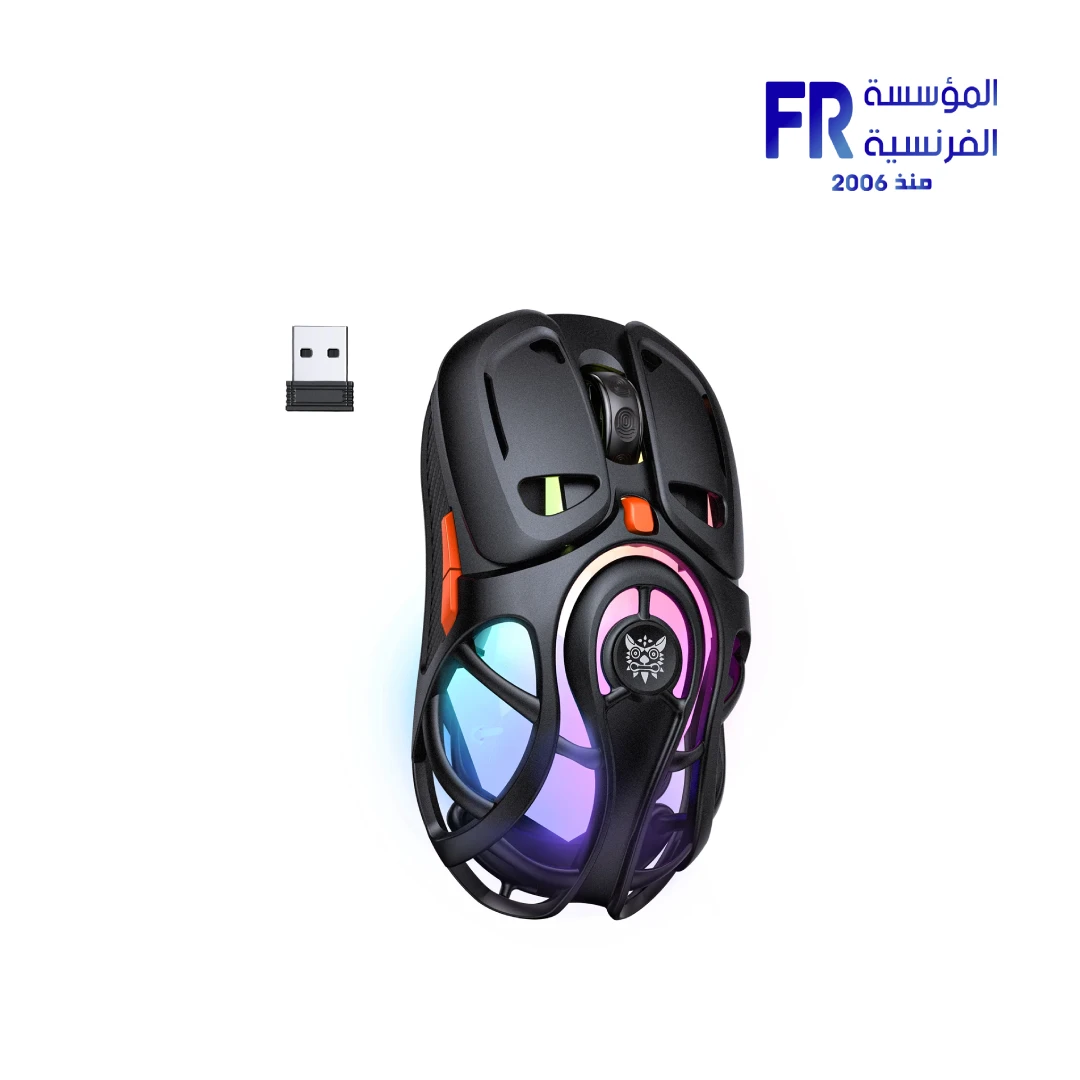
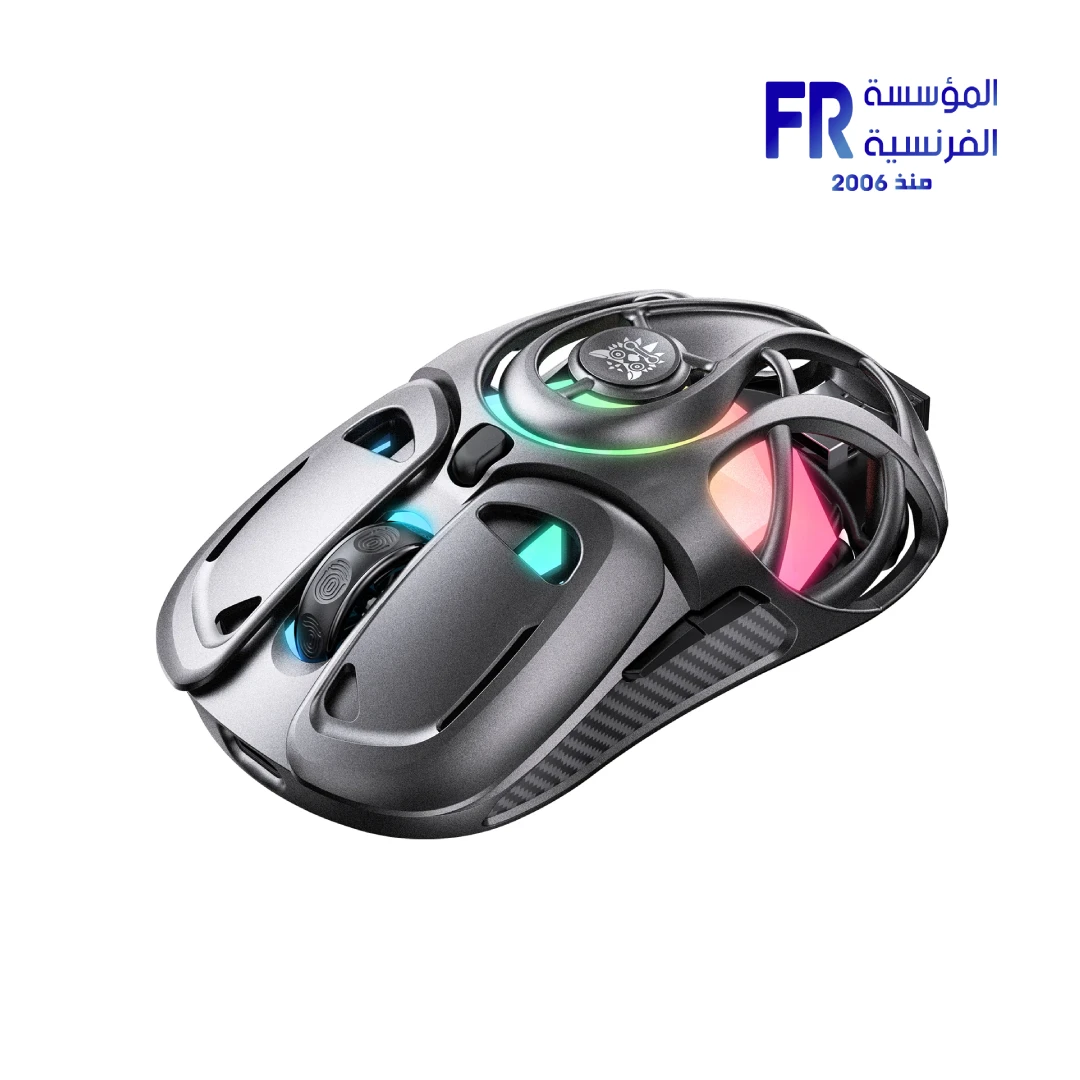
The Onikuma DM02 Tri-Mode RGB Wireless Gaming Mouse delivers exceptional performance with a lightweight honeycomb shell design for maximum airflow and comfort. Featuring 12800 DPI sensor, 1000Hz polling rate, 6-level DPI adjustment, and tri-mode connectivity (2.4GHz/Bluetooth/USB) — it’s the ultimate versatile gaming mouse for every genre.
🎯 12800 DPI
⚡ 1000Hz
💡 RGB
🐝 Honeycomb
Product Gallery
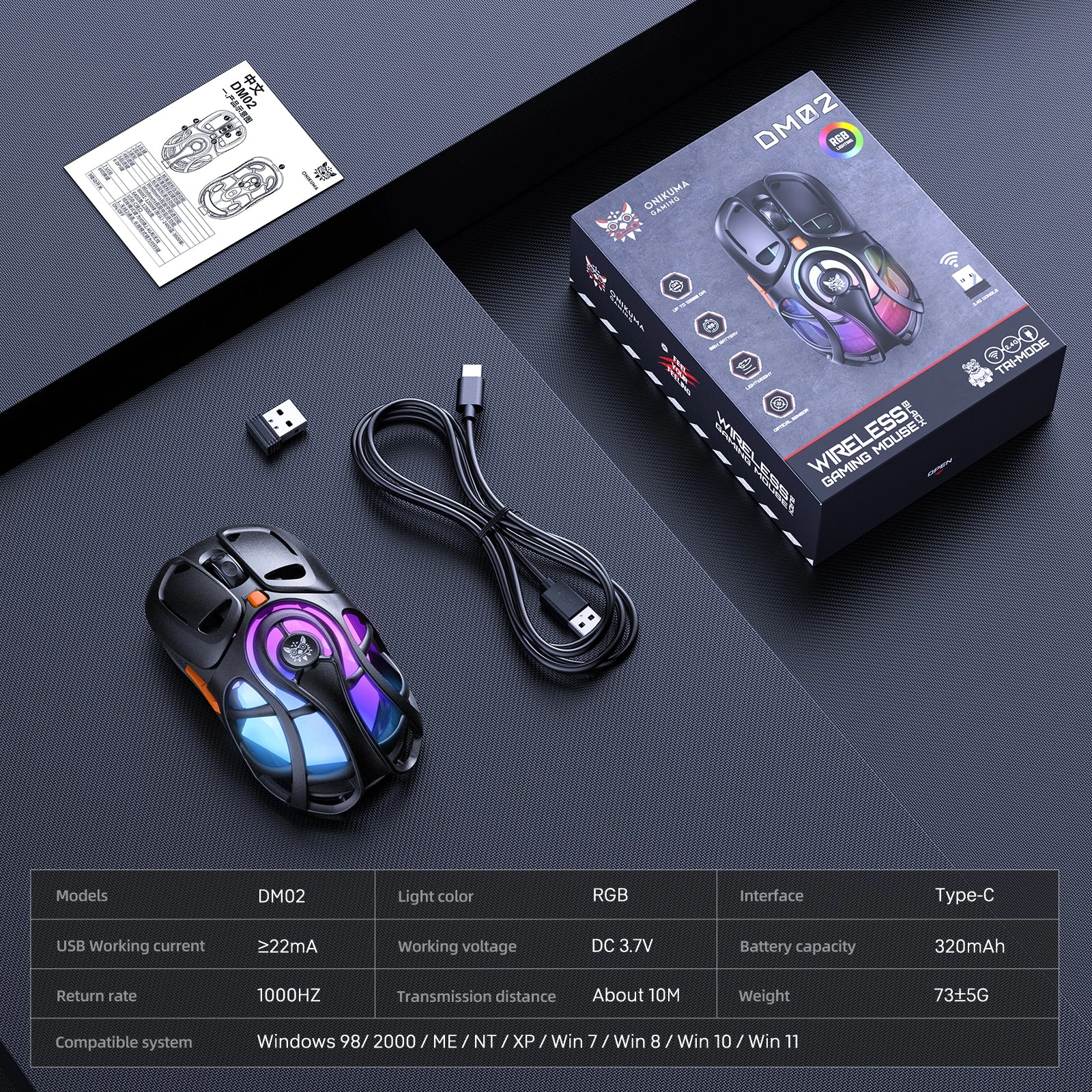
Technical Specifications
Is the Onikuma DM02 Right For You?
✓ Best For
- ✔ Gamers wanting lightweight wireless performance
- ✔ Users who value tri-mode connectivity flexibility
- ✔ Those who need high DPI (12800) for precision
- ✔ Gamers who appreciate RGB aesthetics
- ✔ Users who want cooling honeycomb design
✗ Not Ideal For
- ✗ Users needing 20,000+ DPI for competitive esports
- ✗ Those who prefer solid-shell design without holes
- ✗ Users who don’t use wireless features
- ✗ Those who prefer heavier mice
Key Features
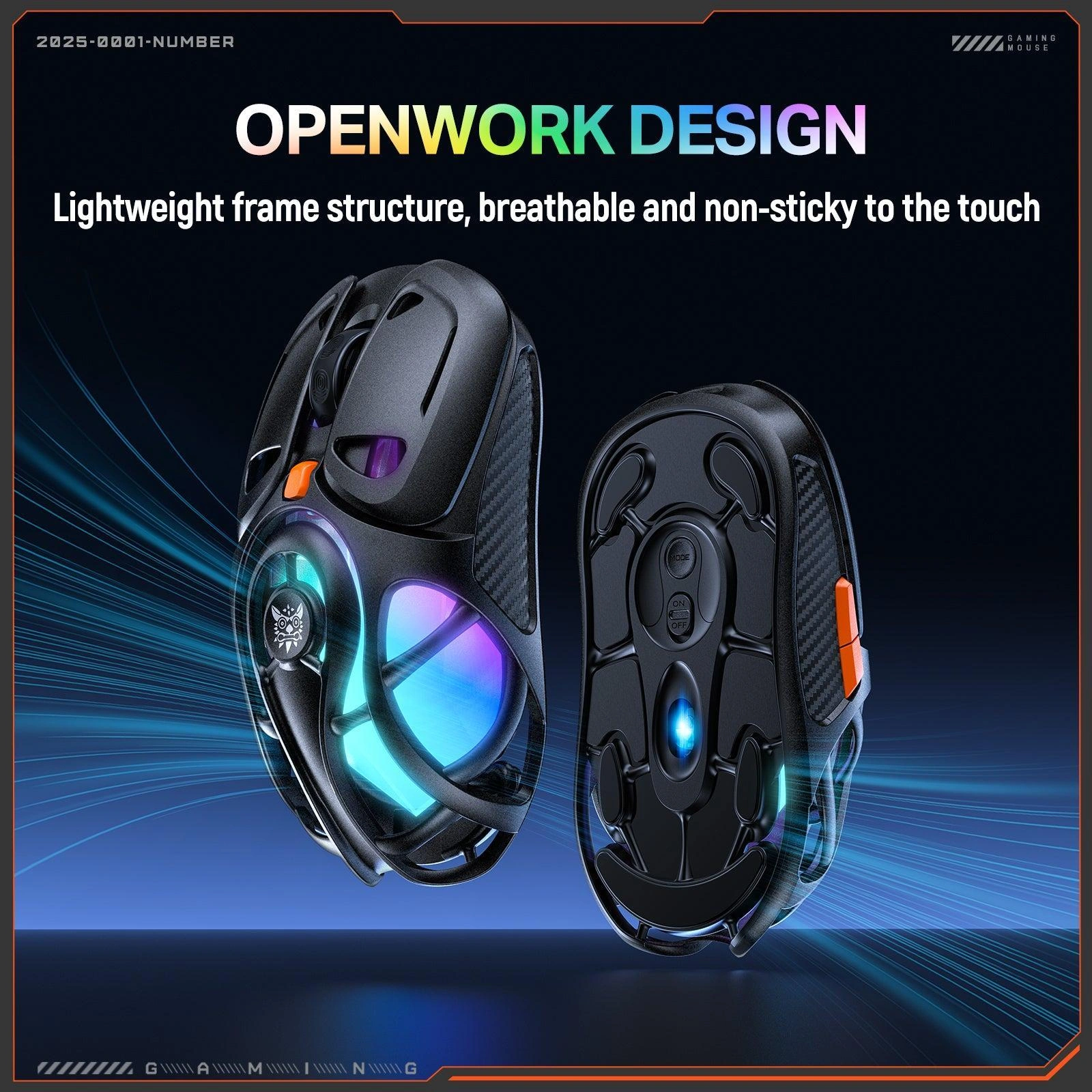
🐝 Advanced Honeycomb Design
Cutting-edge lightweight honeycomb shell maximizes airflow for a cool, dry, and non-sticky grip, even during intense gaming marathons.
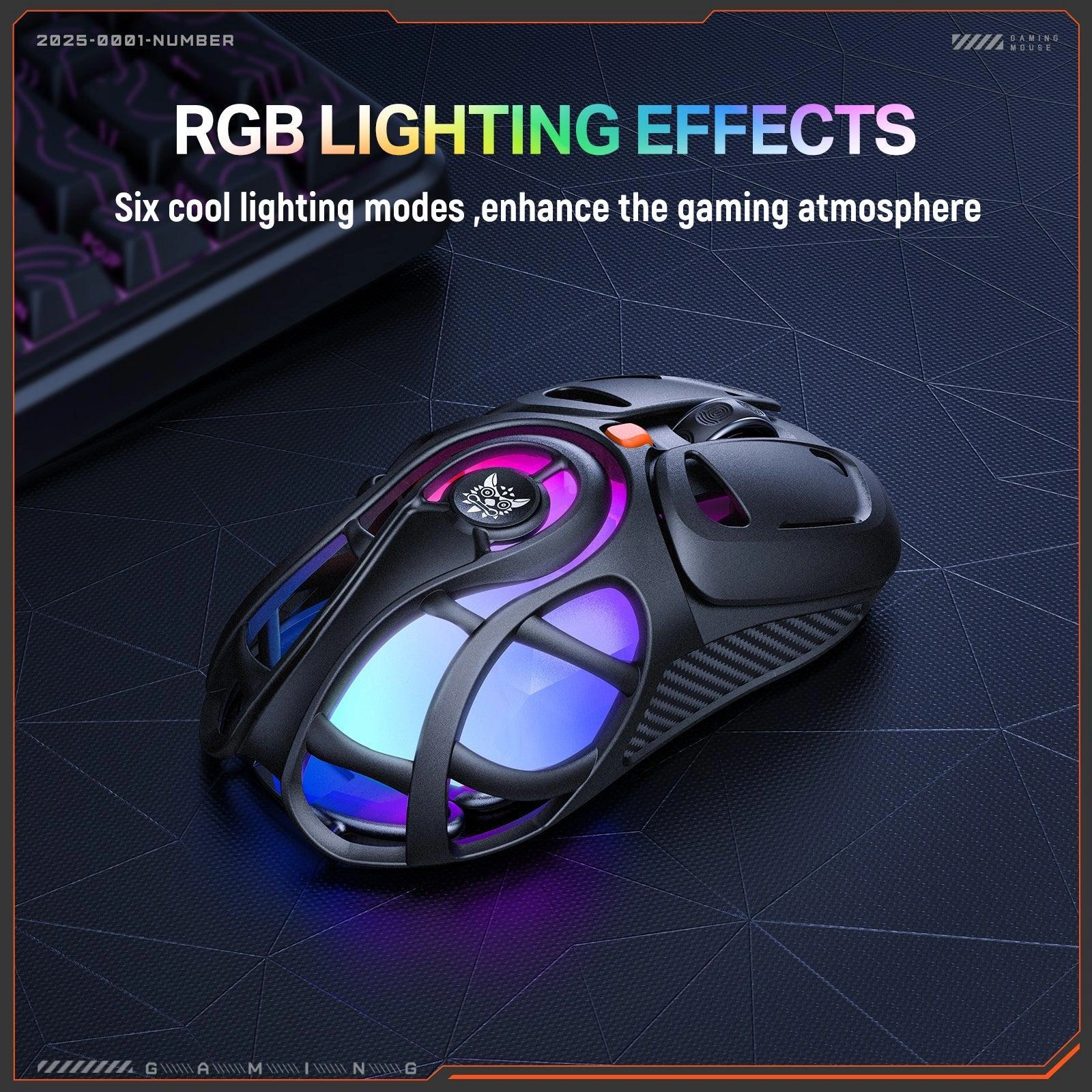
💡 Dynamic RGB Lighting Effects
Customize your setup with six distinct, cool lighting modes that bring your battlestation to life and intensify the gaming atmosphere.
📡 Tri-Mode Connectivity
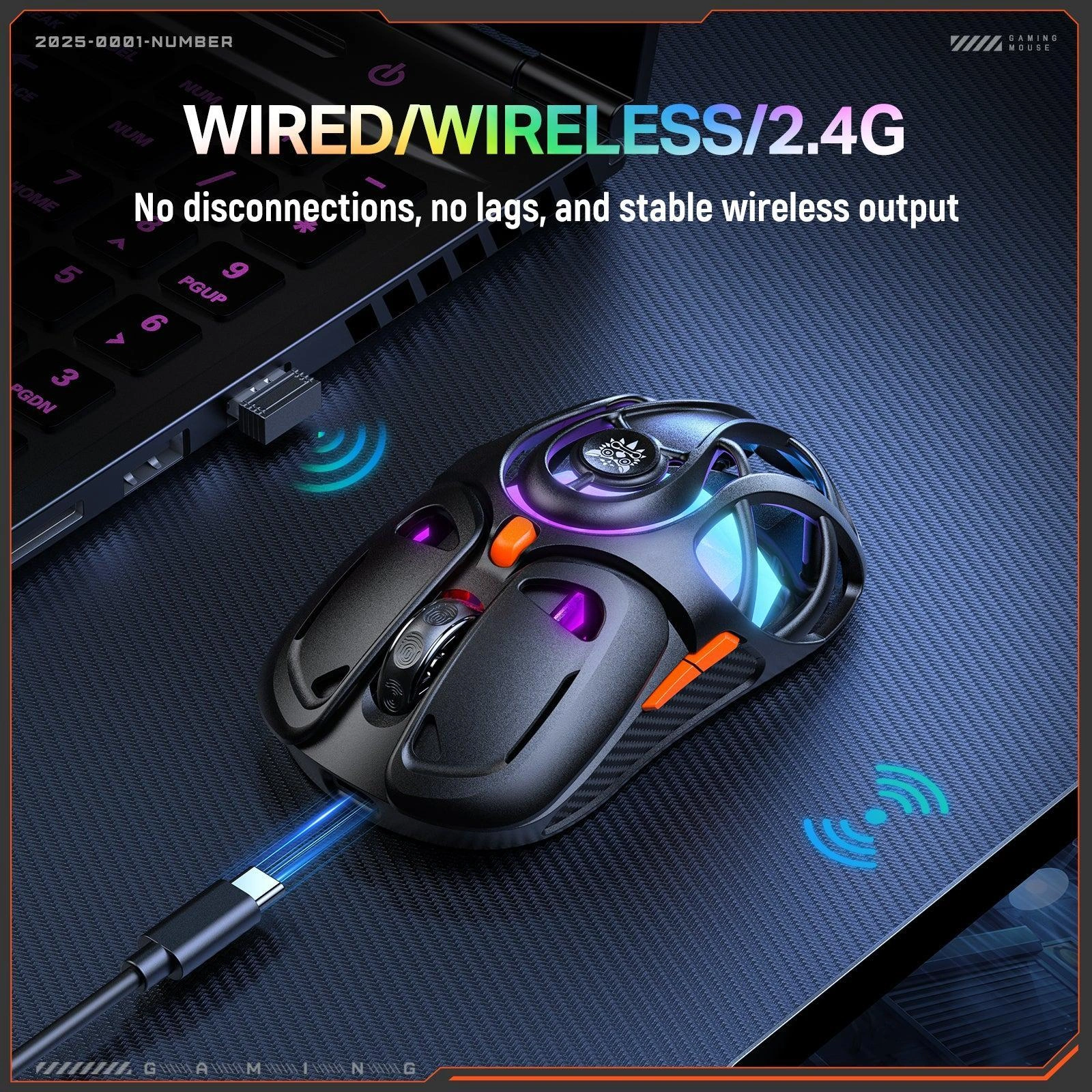
Seamless switching between stable 2.4GHz wireless, low-latency wired, and reliable Bluetooth connections for uninterrupted, lag-free gameplay.
🎯 6-Level DPI Adjustment
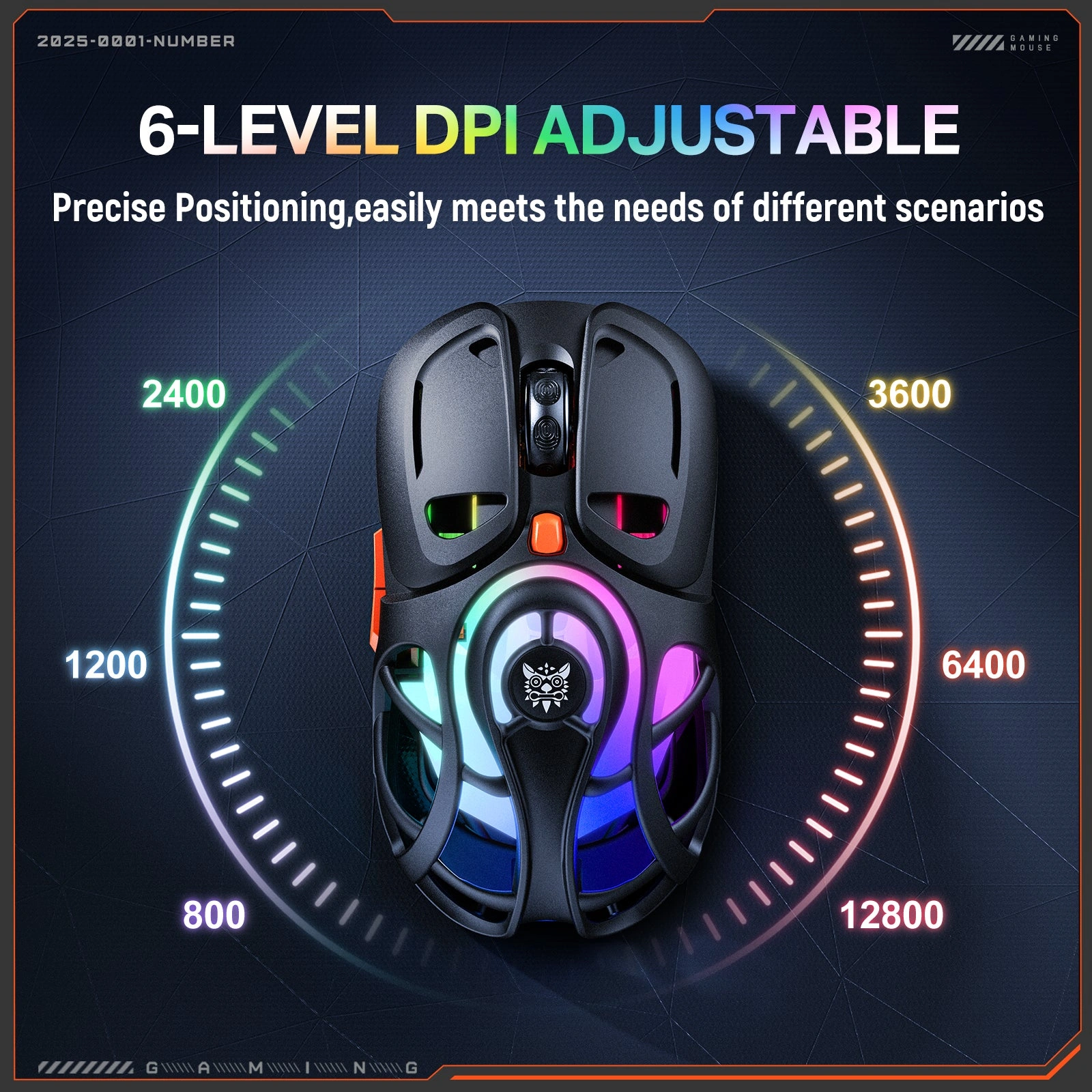
Achieve pinpoint precision with on-the-fly DPI adjustments from 800 to 12800, effortlessly adapting to different game genres and scenarios.
⚡ 1000Hz Ultra Polling Rate
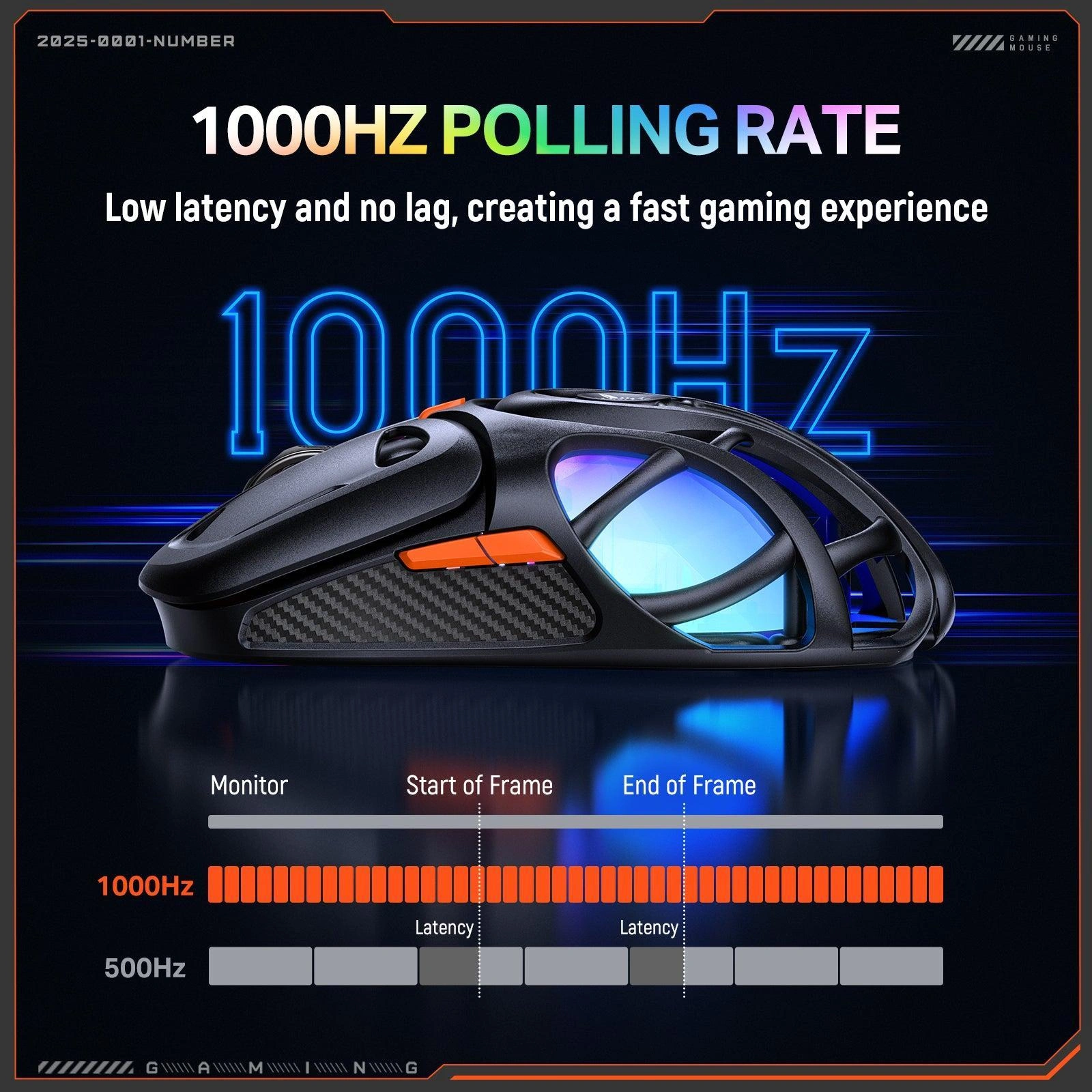
Experience instantaneous response with a 1000Hz report rate, ensuring ultra-low latency and a lightning-fast gaming experience that keeps you ahead.
Compatibility Matrix
| Platform | Supported | Connection |
|---|---|---|
| Windows PC | ✔ Full | 2.4GHz / Bluetooth / USB |
| Mac OS | ✔ Full | Bluetooth / USB |
| Android | ✔ Full | Bluetooth / USB |
| iOS / iPadOS | ✔ Limited | Bluetooth |
| Linux | ✔ Full | USB / 2.4GHz |
Pro Tips & Tricks
🎯 Optimize Your DPI Settings
Use lower DPI (800-1600) for FPS games requiring precision aiming. Higher DPI (3200-12800) for MOBA and RTS games needing quick cursor movement.
📡 Choose Your Connection
Use 2.4GHz for competitive gaming with minimal latency. Bluetooth for productivity and battery saving. Wired for charging and zero-latency gaming.
💡 RGB Customization
Cycle through 6 RGB modes to match your setup aesthetic. Use the lighting as a visual indicator for DPI level changes during gameplay.
🐝 Honeycomb Maintenance
The honeycomb design keeps your hand cool during long sessions. Clean the mouse regularly with compressed air to prevent dust buildup in the honeycomb holes.
Common Questions About the Onikuma DM02
What connectivity options does the Onikuma DM02 offer?
Tri-mode connectivity. The Onikuma DM02 features tri-mode connectivity with stable 2.4GHz wireless, low-latency wired USB, and reliable Bluetooth 5.0 for seamless switching between devices.
What DPI does the DM02 support?
800 to 12800 DPI. The DM02 features 6-level DPI adjustment from 800 to 12800 DPI, allowing on-the-fly sensitivity changes to adapt to different game genres and scenarios.
What is the polling rate of the DM02?
1000Hz. The DM02 features a 1000Hz ultra polling rate for instantaneous response, ensuring ultra-low latency and a lightning-fast gaming experience.
Does the DM02 have RGB lighting?
Yes. The Onikuma DM02 features dynamic RGB lighting effects with six distinct, cool lighting modes to customize your gaming setup.


Reviews
There are no reviews yet.